

What is Included in a Hardware Schedule
A Hardware Schedule is the controlled project record used to keep cabinet hardware selections clear before order.
It brings the key specification information together: product, finish, size, centres, quantity, approval status, quotation reference, open items, current version and future reorder details.
This page explains what the Schedule can include, how the online project folder is used, what the approval path looks like, and what information is useful to send before we build the record.
For live or upcoming projects, start with the Hardware Schedule route. For advice, pricing, bespoke questions or early project support, use Project Enquiry.
The documents that keep the project clear
A Hardware Schedule is supported by the working documents needed to specify, approve and order cabinet hardware correctly.
Product specification sheets, finish approval records, quotation references and project notes are kept together in the Capramont & Co online project folder, instead of scattered across emails, screenshots, old quotes or memory.
The same folder supports archiving, reorders, replacements and future additions, because the project team can return to the approved specification rather than rebuilding decisions later.
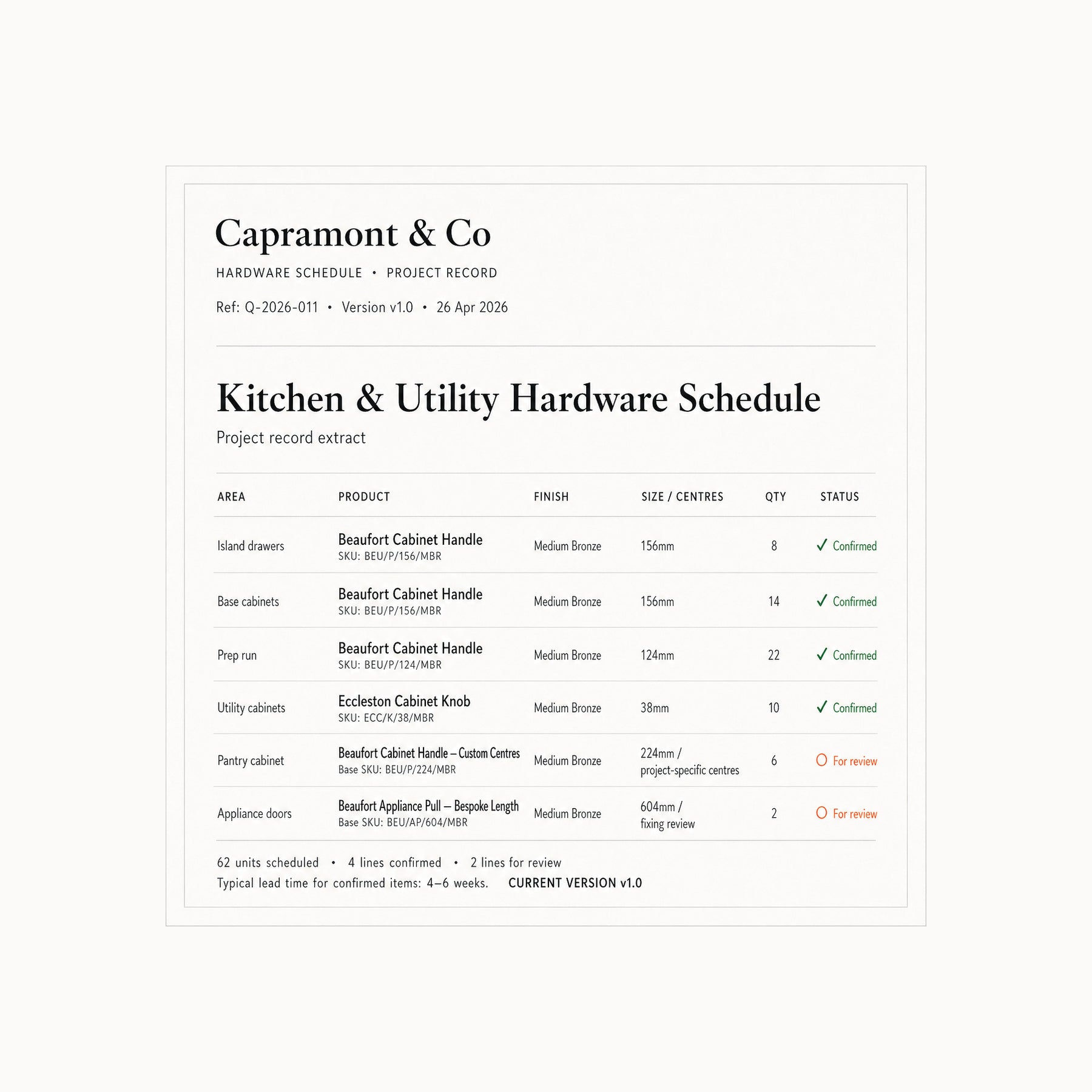
Hardware Schedule
Products, finishes, sizes, centres, quantities, open items, approval status and current version.
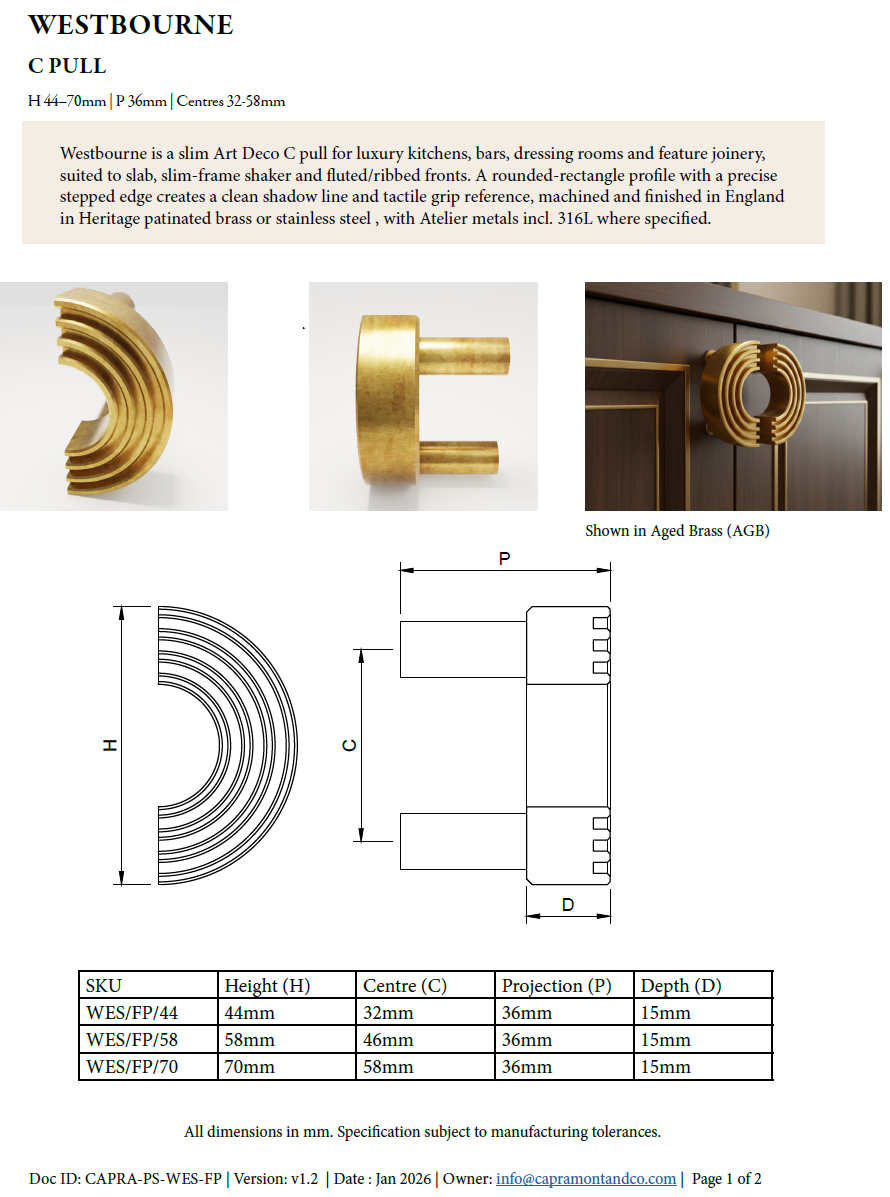
Product Specification Sheets
Dimensions, fixing method, centres, projection, materials, finish codes and lead-time guidance.
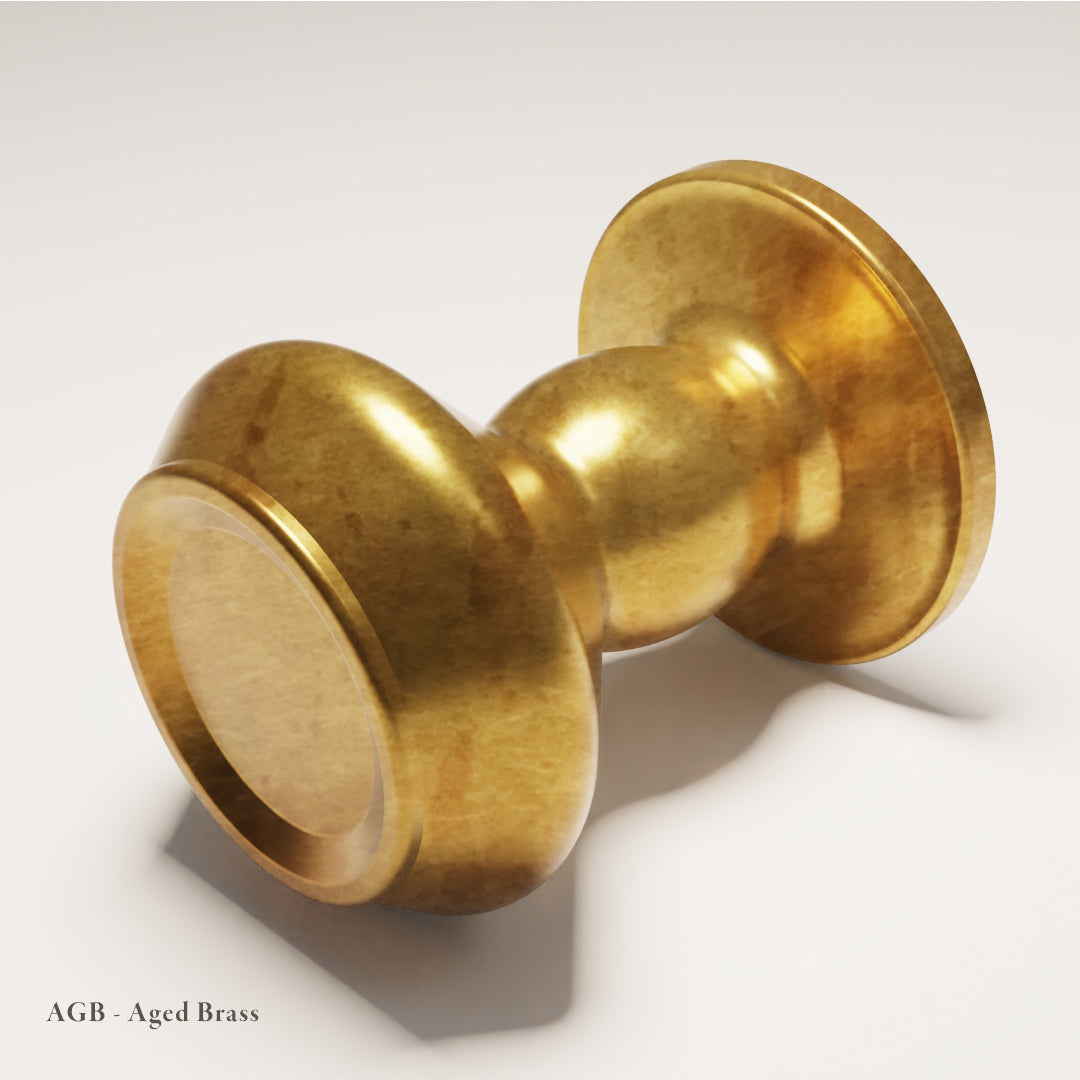
Finish Approval
Physical finish sign-off or digital finish approval recorded against the project.
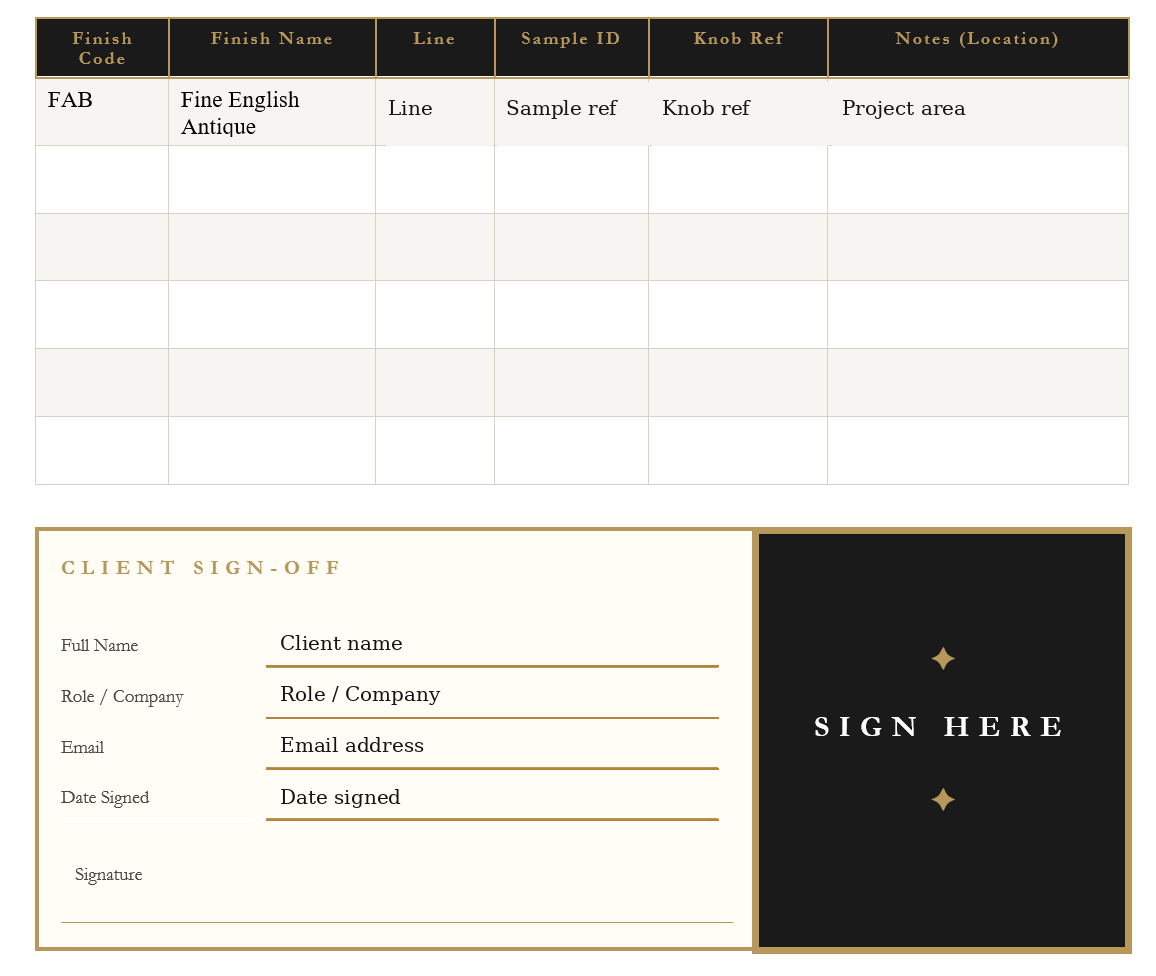
Formal Finish Record
Finish code, sample reference, approval status and sign-off details held against the project.
What the schedule helps you control
Wrong finish ordered
Finish approval can be recorded before procurement, so the finish being ordered is the finish that was reviewed and approved.
Centres or sizes assumed
Sizes, centres, projection and technical notes can be recorded before the order is placed.
Appliance pulls missed
Tall fronts, appliance doors and special hardware can be captured as line items instead of being left to memory.
Old version used
The current schedule version is clear, helping the team avoid working from old emails, marked-up screenshots or previous quotes.
Reorders placed from memory
Future additions, replacements and reorders can trace back to the original project record.
The approval path
Before hardware is ordered, the key decisions should be clear.
Product approval
The selected product, size, centres, finish and quantity are recorded in the schedule.
Technical review
The product specification sheet supports joinery checks such as centres, projection, fixing method, depth and material.
Finish approval
Finish approval is recorded physically or digitally against the project.
Commercial alignment
The quotation remains separate, but references the same project so the order reflects the current specification.
Archive and reorder
Once complete, the project record supports reorders, replacements and future additions.
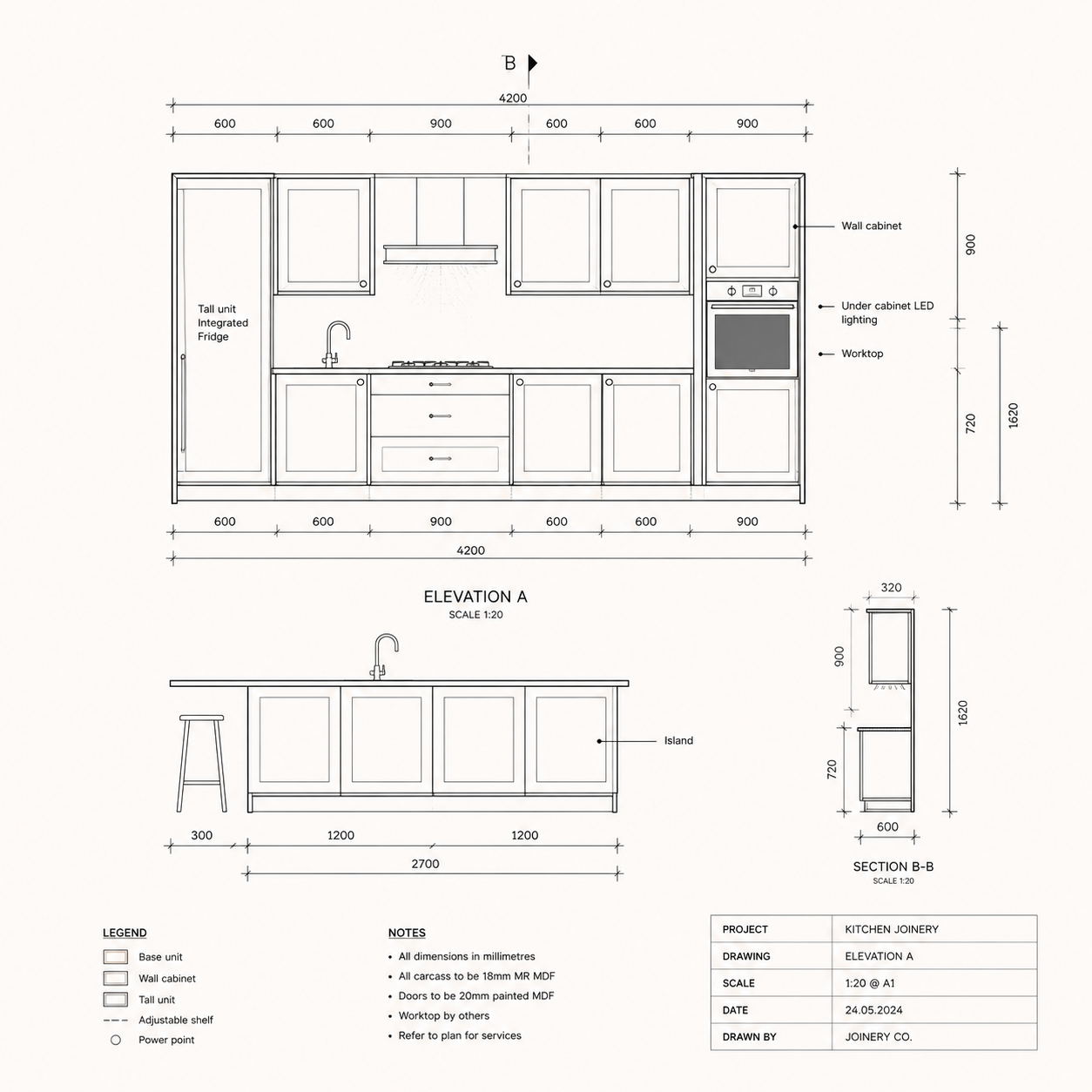
Review the project information
We review the drawings, elevations, cabinetry areas, preferred products, finish direction, quantities and any existing notes or quote references.
Click the timeline below to follow each stage of the Hardware Schedule process.
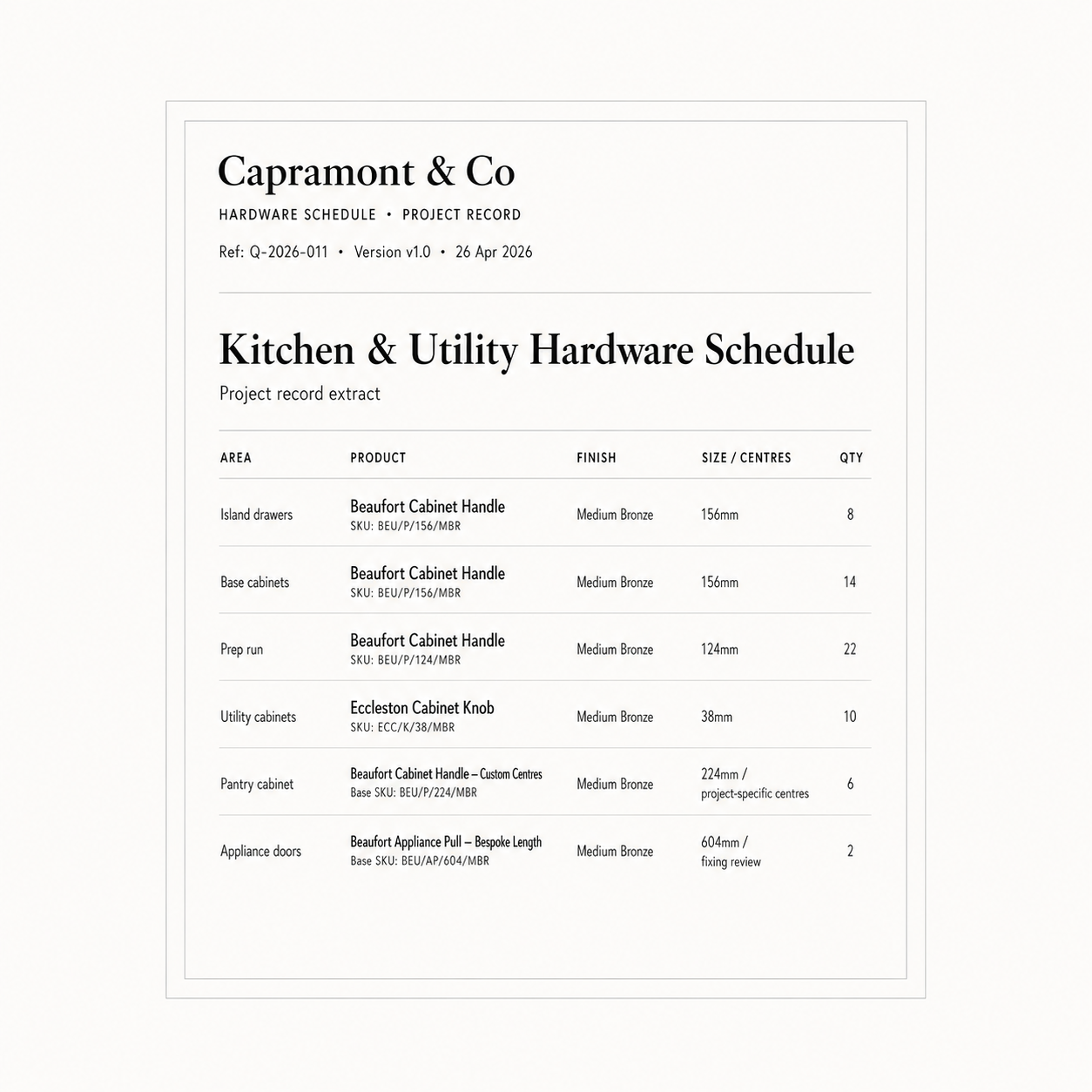
Build the hardware record
We organise the hardware by room, area or cabinetry zone so the specification is easier for the designer, joiner, client and procurement team to follow.
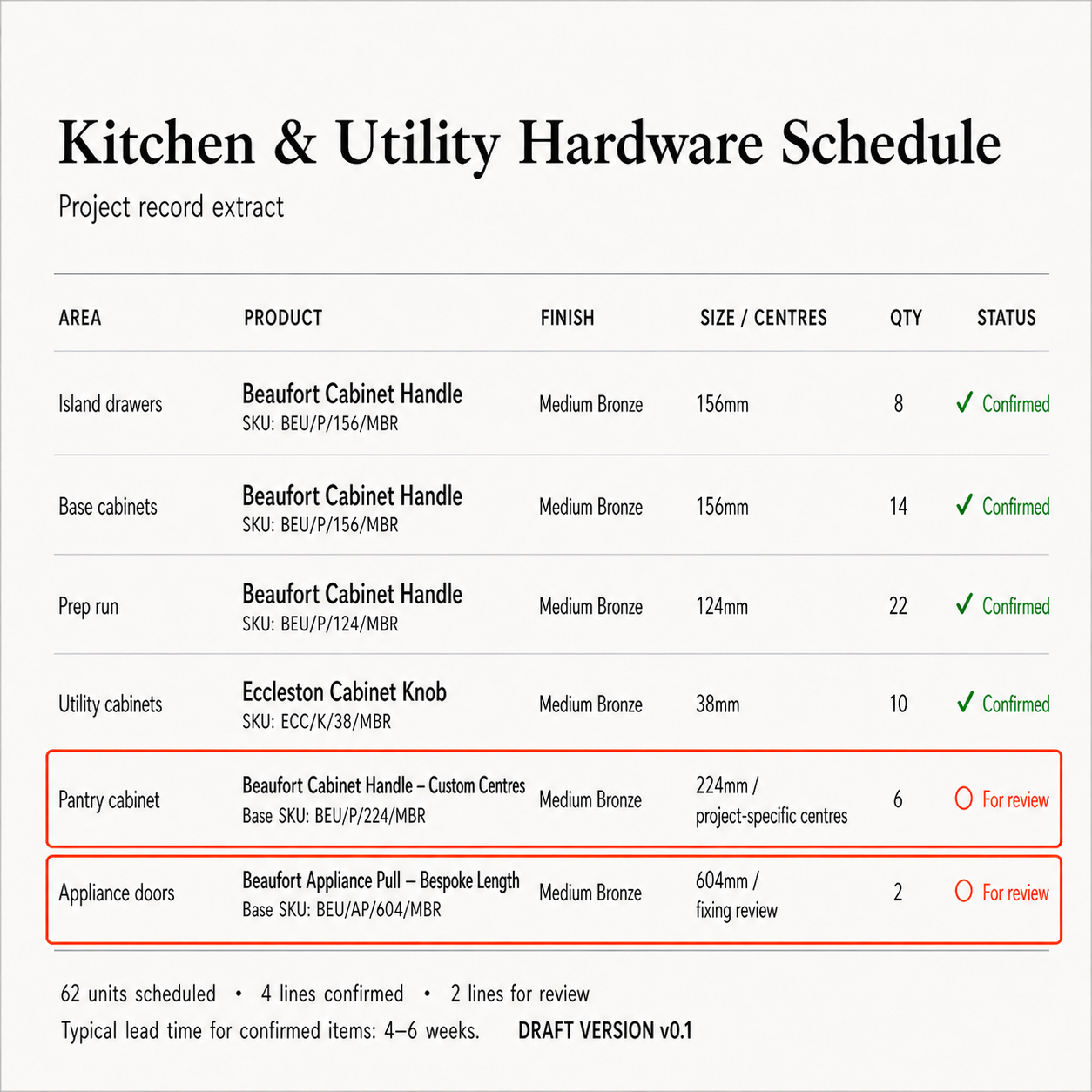
Identify open items
Missing sizes, centres, quantities, finish decisions, appliance pulls or technical questions are recorded as open items rather than guessed.
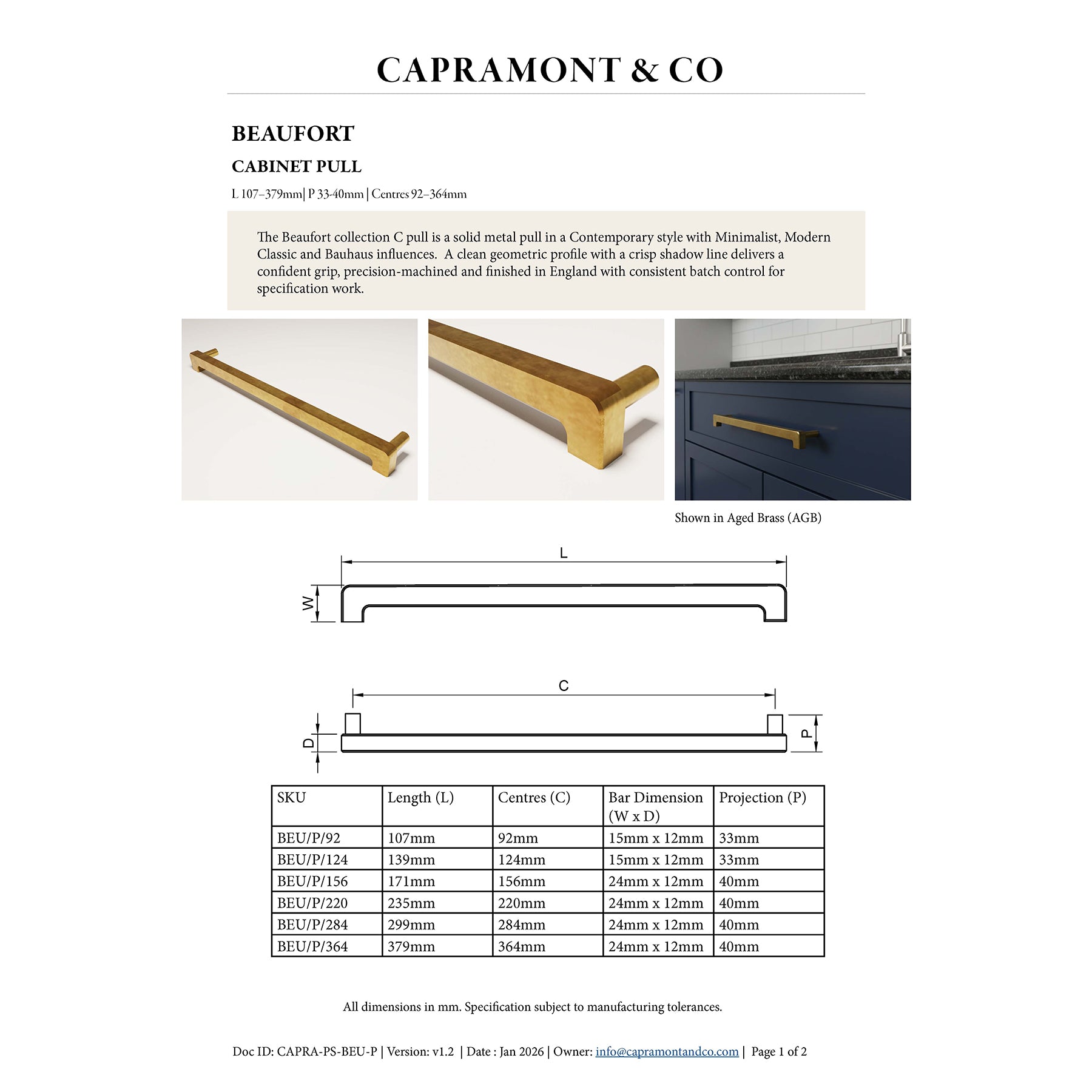
Connect supporting documents
Product specification sheets, finish approval records and quotation references are held with the schedule in the Capramont & Co online project folder.
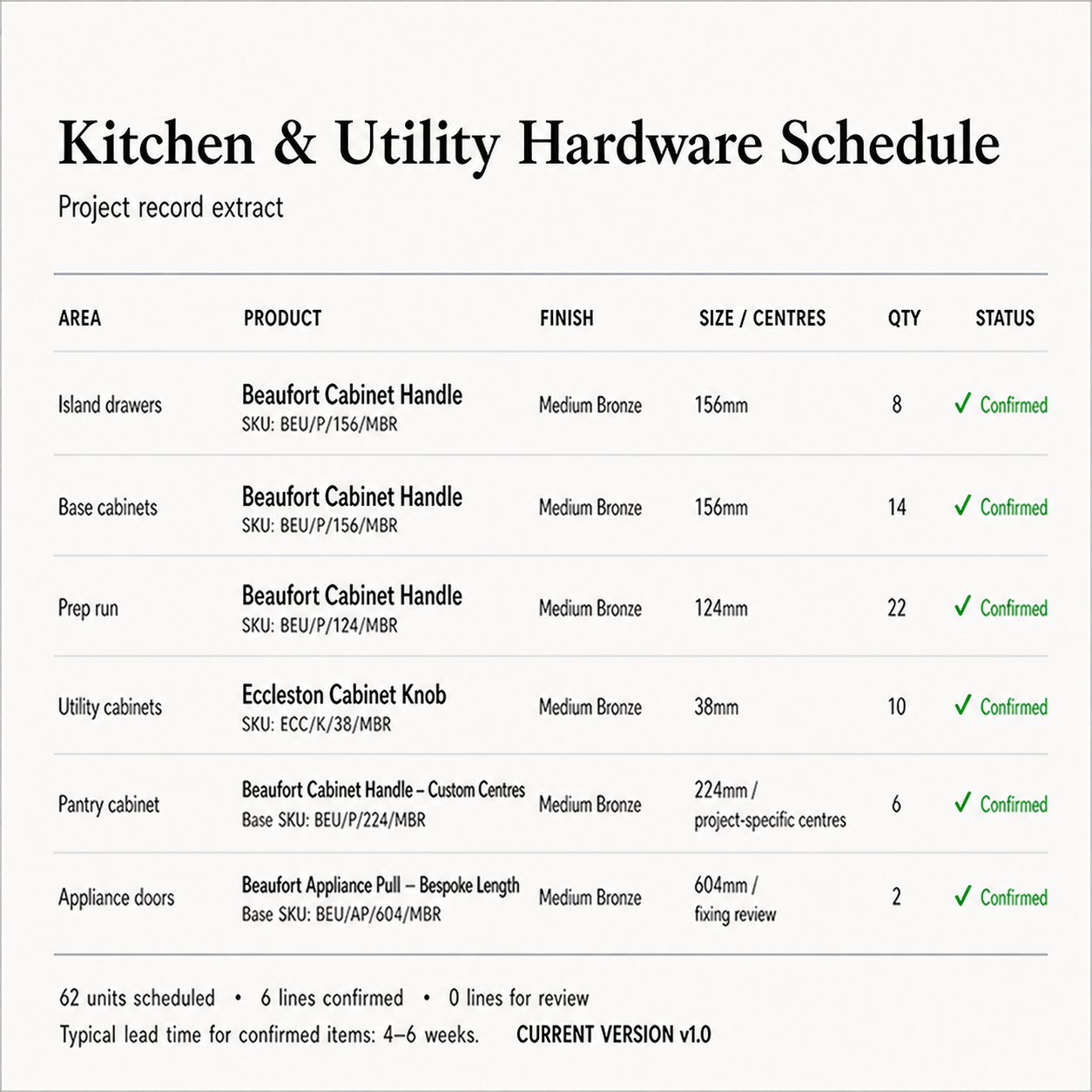
Maintain the current version
If the project changes, the working record can be updated so the team can return to the same current specification for ordering, archiving, reorders and future additions.
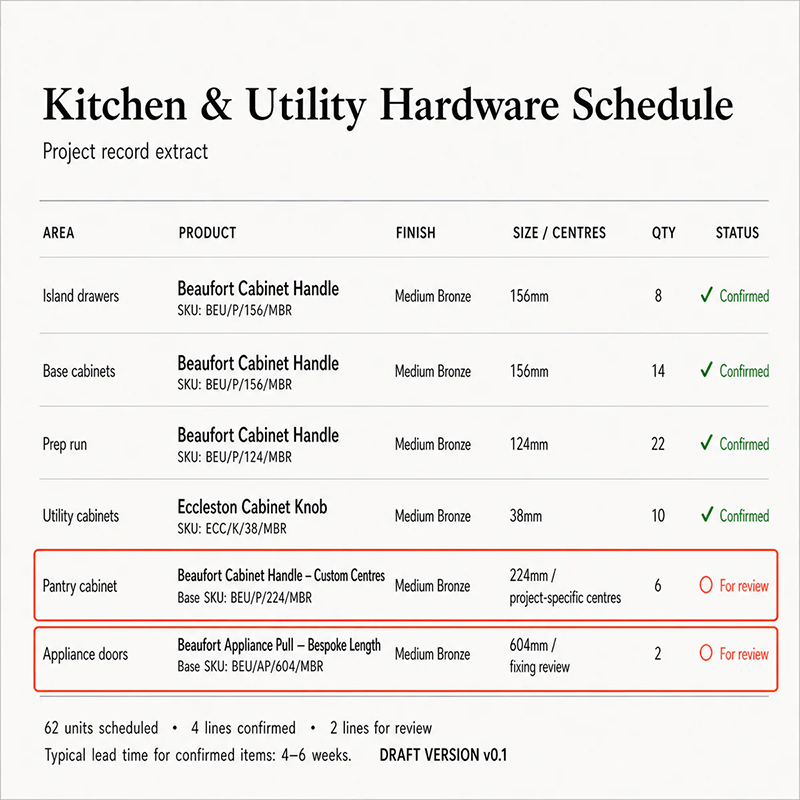
The Hardware Schedule
The schedule shows what has been selected, what is confirmed, what is still under review and which version the project is working from.
It can record:
- Product
- SKU
- Finish or material
- Size and centres
- Quantity
- Lead time
- Open items
- Product approval status
- Submittal reference and status
- Current version
How the online project folder is used
The Capramont & Co online project folder keeps the hardware schedule, product specification sheets, finish approvals, quotation references and working documents together throughout the project.
As part of the done-for-you service, we build and maintain the hardware record, mark open items, attach the relevant product information and keep the current version clear.
This gives the project team one trusted place to confirm what has been selected, which finish has been approved, which specification sheet applies, which quotation or version is current, what still needs review, and what should be referenced for future reorders or replacements.
It reduces reliance on old emails, separate notes and assumptions, helping the designer, joiner, client and procurement team work from the same current hardware record.
What to send us
You do not need everything confirmed before starting.
Useful information includes:
- Project name
- Drawings or elevations
- Room or cabinetry schedule
- Preferred products, if known
- Finish direction
- Quantities, if known
- Sizes or centres, if known
- Appliance-pull or tall-front requirements
- Target order date
- Existing quote, folder link or Pack ID, where applicable
Missing information is recorded as an open item rather than guessed.
What a Hardware Schedule is not
A Hardware Schedule is a done-for-you hardware specification support service, but it does not replace the professional responsibilities of the project team.
It is not:
- A replacement for joinery drawings
- A site measurement service
- A substitute for designer, joiner or client approval
- A substitute for a formal quotation or invoice
- A public price list
- A guarantee that trade pricing applies to every specifier
- An automatic approval-locking system
- A final procurement approval unless all required details have been confirmed
Its purpose is to give the project team one controlled hardware record before ordering begins.
Start a Hardware Schedule
Send the project information you already have.
We will review it, build the working hardware record, identify open items and confirm the appropriate next step.
For live or upcoming projects, product specification sheets, finish approval and quotation references are held with the schedule in a Capramont & Co online project folder, so the team can return to the same current specification throughout the project.